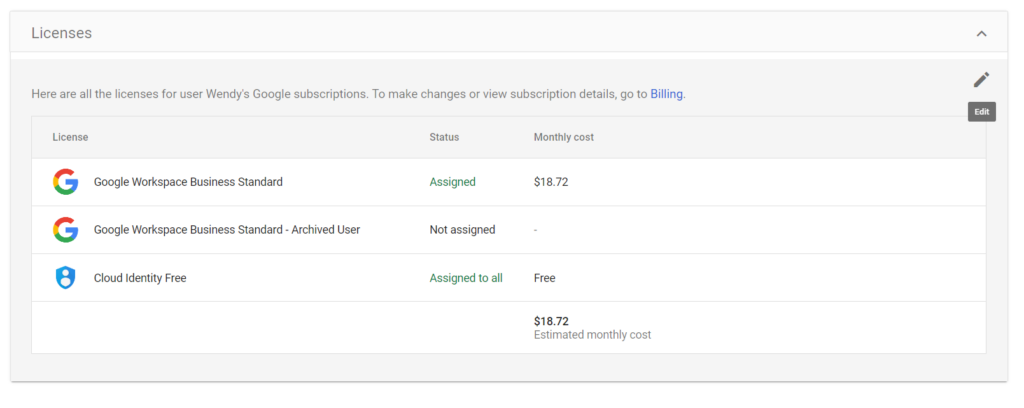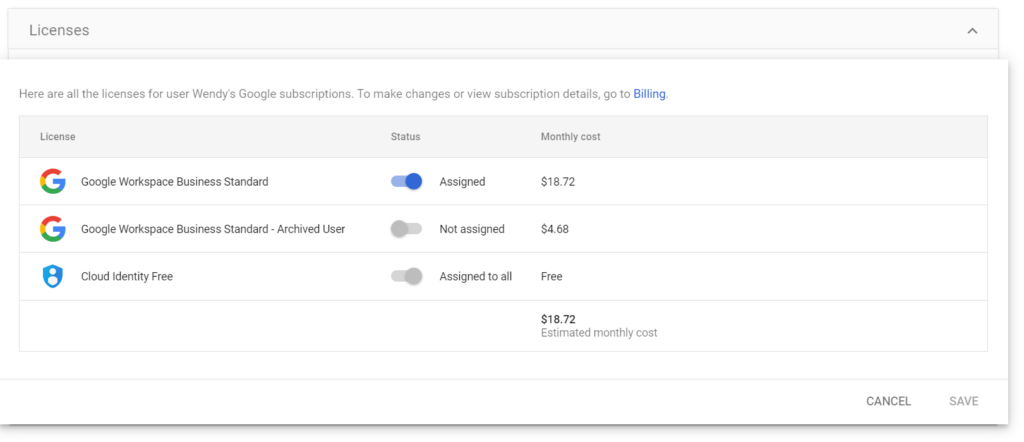
If the user account already exists and you need to assign or manage licenses for that specific user in Google Workspace, follow these steps:
1. Sign in to the Admin Console:
Go to admin.google.com and log in using your administrator account credentials.
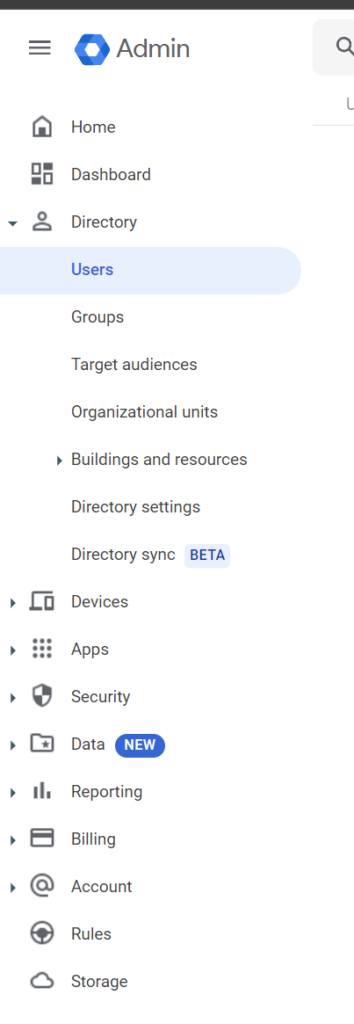
2. Navigate to Users:
From the Admin console Home page, go to Users.
3. Select the User
Find and click on the user account to which you want to assign or manage licenses.
4. Click on the “Licenses” section.
- In the user’s account page, click on Licenses and Apps.
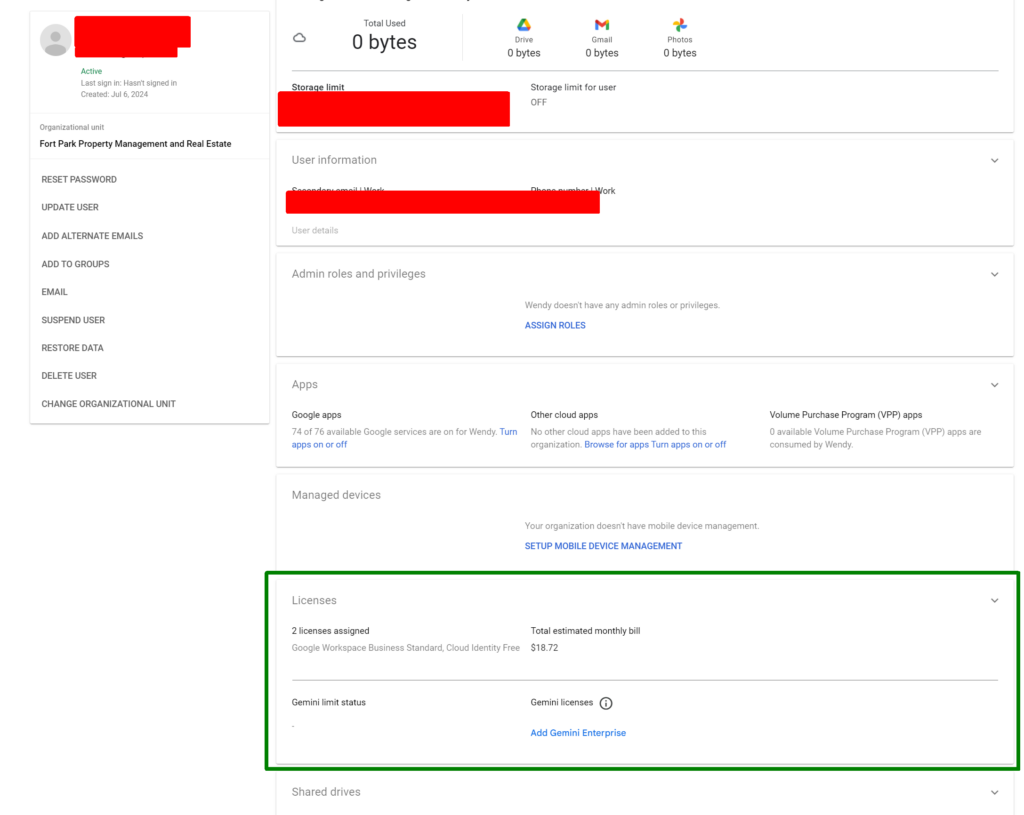
5. Assign a Google Workspace Licenese
- Click on the pencil in the top right.
- Select the appropriate license type (e.g., Google Workspace Business Standard, Business Plus, etc.) that you want to assign to the user.
- Then click on “Save”